
Aluminum fishing boat guide
Aluminum boat livewell kits: check what the system actually includes
Updated
An aluminum boat livewell kit can leave you with extra costs for the tank, plumbing or installation. Ask for an itemized scope that confirms each component, operating mode and installation responsibility before comparing quotes. Use the checklist below to turn a livewell preference into a written equipment request.
What does a livewell kit include?
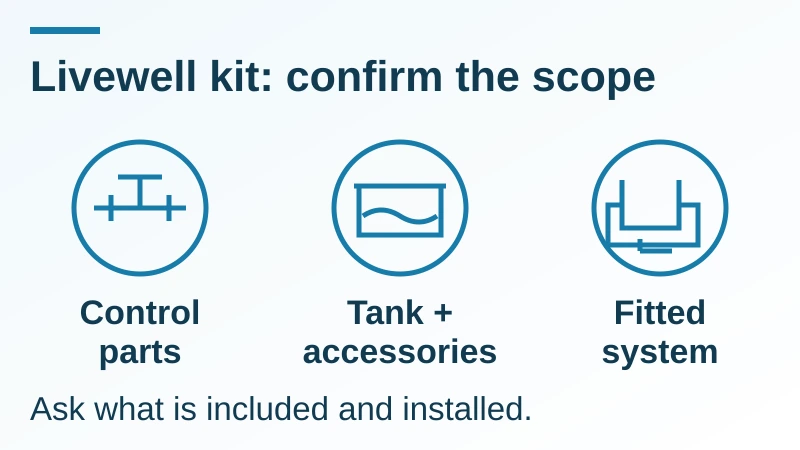
A livewell kit may cover control parts, a tank with accessories, or a fitted system. Current public supplier listings use the same term for different packages: one lists a drain-control valve, cable and actuator; another lists a pump, aerator, switch panel and hatch. The item list, rather than the word kit, defines the offer. Use this checklist with the other buying guides when you compare the whole boat package.
Kit contents from an outside supplier describe that listing; your selected SEAVIA configuration needs its own written scope.
| Package description | Confirm before comparing | Omission risk and prevention |
|---|---|---|
| Control kit | Valve, cable and actuator; ask separately about tank, pump and plumbing | You receive controls without a working system. Request a complete parts and installation list. |
| Tank/accessory kit | Tank, pump, aeration and hatch scope; check overflow, drain, hoses and power separately | Accessory names leave connections unresolved. Mark each matrix row included, excluded or buyer-supplied. |
| Fitted livewell system | Installed equipment, operating modes, manuals and demonstration responsibility | A supplied part may still be loose. Name who fits it and demonstrates the finished system. |
Fill in the livewell inclusions matrix for your quote
Copy the rows into your quote request. Replace each Pending entry with Included, Excluded or Buyer supplies, then add the seller’s exact component identity and whether it is fitted or loose. Pending means unconfirmed; it must not be counted as included.
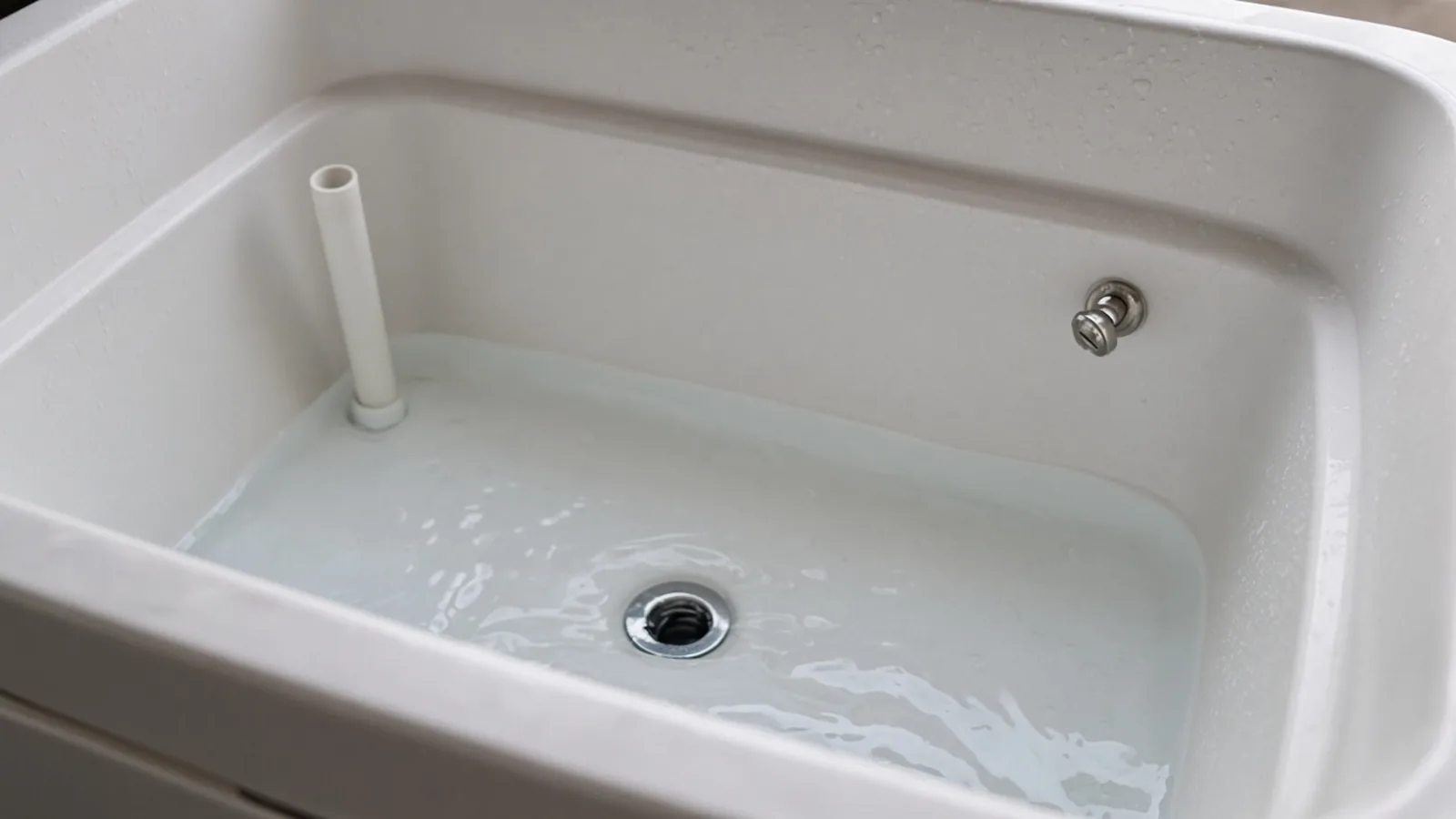
A tank photograph can help you identify questions about the standpipe, wall fitting and floor drain. It cannot tell you which pump, recirculation path or remote control comes with your boat. Record those separately.
| Component | Scope status | Seller confirmation to record |
|---|---|---|
| Tank and hatch | Pending | Tank identity, stated capacity and units, hatch/seal; fitted or loose |
| Water intake and screen | Pending | Intake arrangement, screen and service access |
| Pump | Pending | Brand/model, electrical specification and applicable manual |
| Aeration or spray head | Pending | Method supplied and which pump/control operates it |
| Recirculation path | Pending | Whether tank-only recirculation is available |
| Overflow | Pending | Standpipe or separate outlet; demonstrated level control |
| Drain and drain control | Pending | Gravity drain or pump-out; conditions needed to empty |
| Valve, cable and actuator | Pending | Matched parts, cable approach and control location, where used |
| Switch, protection and wiring | Pending | Power source, specified protection, fitted wiring and labels |
| Hoses, fittings and guards | Pending | Connections supplied, screens/guards and access for servicing |
| Installation and handover | Pending | Named installer, demonstration, manuals and unresolved items |
For example, if a quote lists a valve and cable but says nothing about a pump, mark the pump Pending and ask who supplies and installs it. Do not fill the gap from the package name.
Confirm fill, recirculation and drain as separate functions
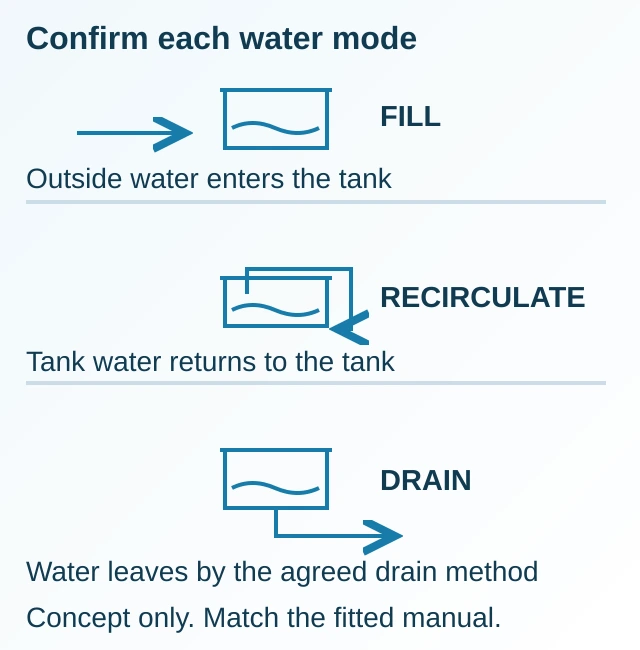
Ask what each control does on the proposed system. Fill brings outside water in; recirculation returns tank water through the system; draining removes water through the specified outlet. A recirculation mode does not establish a pump-out function, and a remote drain control does not establish aeration.
The OEM control-system guide linked below distinguishes a simple remote drain valve from systems that manage filling and recirculation. Its labels and valve behavior belong to those systems. Have the seller identify the actual fitted control, its matching manual and the conditions for each mode.
If excluding outside water matters to your use, request a tank-only recirculation mode explicitly. If you need to empty the tank while afloat, ask how the selected layout accomplishes that and have it demonstrated under the fitted manual. Do not assume a gravity drain empties every layout in every condition.
What has SEAVIA published about livewells on Current boats?
Current 18 and Current 21 list a Livewell preference: “Discuss bait and livewell requirements.” Current 18 also lists a bait board and rod storage; Current 21 lists a bait board and underfloor keeper-tank direction. These published descriptions start the configuration discussion; the written offer must identify the equipment you will receive.
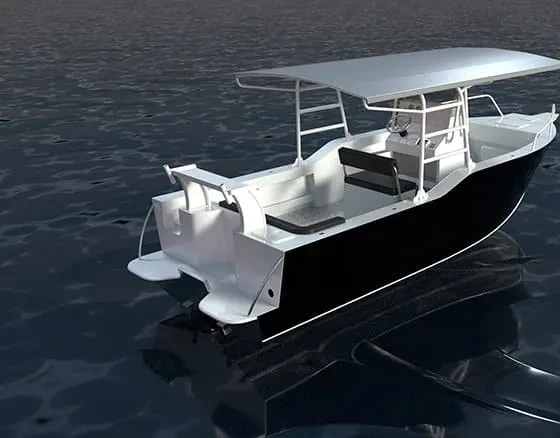
Ask for the selected tank, pump, aeration, overflow/drain arrangement and controls together. Tank capacity, pump performance, installed brand and mode availability remain configuration-specific information to request. The Current 21 reference image shows the deck context, not a verified livewell installation.
Is the system fitted to the boat or supplied as loose parts?
Confirm the installer and the cost boundary for every supplied part. Loose controls or a pump still need compatibility review, installation and commissioning. An aluminum hull alone does not establish that a separate kit fits the tank, connections, cable route or electrical system.
Compare these responsibilities before treating two totals as equivalent. Keep installation costs separate from ongoing maintenance and seasonal care; request amounts for your actual destination and configuration.
| Cost or responsibility | Ask the seller to state |
|---|---|
| Installation and commissioning | Who reviews compatibility, fits the parts and demonstrates operation? |
| Access and future replacement | How are the pump, screens, connections and controls reached for service? |
| Maintenance and seasonal care | Which fitted manuals apply, and who provides local service advice? |
| Excluded work or buyer-supplied parts | What remains outside the quoted scope, and who accepts responsibility for it? |
What should you check at handover?
Ask the seller or installer to demonstrate the agreed functions using the boat and fitted-equipment manuals. Confirm the water supply and permitted operating conditions before a pump is energized. Have the demonstrator explain each label and record any function that remains unresolved. Use owner support to ask about the next step for your selected boat.
- Match the installed tank, pump, controls and supplied parts to the written inclusions matrix.
- Watch the demonstrated fill and aeration functions, and identify the overflow route and operating water level.
- Demonstrate tank-only recirculation if it was included; confirm which control selects it.
- Demonstrate the agreed drain or pump-out method and explain when it can empty the tank.
- Ask the installer to check for leakage and show the service access points, screens and power isolation.
- Collect the fitted manuals, maintenance and seasonal storage instructions, plus a named contact for unresolved items.
Keep exceptions with the handover record and resolve the responsibility in writing.
What to send us
Send your preferred model, destination and completed checklist on WhatsApp so we can review the requested scope before a written quotation. State which functions are essential and which parts you plan to supply. Opening WhatsApp prepares a conversation; review the draft and send it yourself.
| Item | Why we need it | Example format |
|---|---|---|
| Model and destination | Sets the configuration and regional availability review | Current 21; state/country and intended waters |
| Intended use | Helps distinguish bait, catch or combined needs | Bait and catch; describe typical trips |
| Required modes | Identifies the functions to confirm | Tank-only recirculation and remote drain requested |
| Scope status and ownership | Makes omissions and installation responsibility visible | Pump Pending; seller installation requested |
| Buyer-supplied parts | Allows compatibility to be reviewed before an offer | Component make/model and available manual, or none |
Method and sources
Updated October 2026. This checklist compares current public OEM kit descriptions and control-system documentation, checked on 18 October 2026, with SEAVIA’s approved reference catalog and published Current model descriptions. Supplier documents establish the scope of their own products. Your selected boat’s written configuration and fitted manuals govern its equipment and operation.
The diagrams explain package boundaries and water functions; they are not hull, plumbing or wiring installation drawings. Tank capacity, pump sizing, fish loading and operating settings require the selected equipment and use conditions.